Key takeaways
- Central CCTV monitoring works best with local recording at each branch and streams and alerts to the centre.
- Measure each branch's upload speed and use low-resolution streams for multi-camera views.
- Never expose recorders to the internet; use a VPN and named accounts with set permissions.
- Write a clear procedure for each alert type: who acts, how fast and when to escalate.
- Standardize devices, naming and settings across branches for faster search and maintenance.
Managing cameras across branches requires more than opening several recorder apps. Central CCTV monitoring should define what is viewed and recorded, who can investigate or export footage, and how each site continues operating if connectivity fails.
Start with local recording and coverage goals
Recording can remain at each branch on an NVR or local platform, while the central room receives selected streams or alerts. This reduces network demand and can preserve local recording during an external connection outage. Critical events can also be copied centrally if storage and policy allow.
List entrances, exits, stores and other sensitive points. Decide whether each camera provides an overview or must capture specific details under defined conditions. These goals guide camera placement, lens, resolution and lighting.
Plan connectivity and secure access
Viewing every camera at full quality can consume significant bandwidth. Consider lower-resolution streams for multi-camera displays and switch to original quality for investigations. Check upload capacity, latency and the effect on other business systems.
Use a secure connection such as a VPN or authenticated access architecture rather than exposing recorders directly to the internet. Change default credentials, update devices, separate camera and user networks where practical, and review unused accounts and access logs.
Assign roles and design useful alerts
Limit viewers to assigned sites, allow supervisors to review events and alerts, and restrict export and technical administration to authorised roles. Use named accounts and log exports. Useful alerts identify the branch, camera, time and required response for events such as a disconnected camera or full storage.
Test continuity and retention
Test internet and power interruption, camera and disk failures, recovery and notification. Use UPS protection where needed. Size storage against camera count, resolution, frame rate, compression, recording hours and movement, and document retention and export procedures.
Designing a Central CCTV Monitoring Room That Works
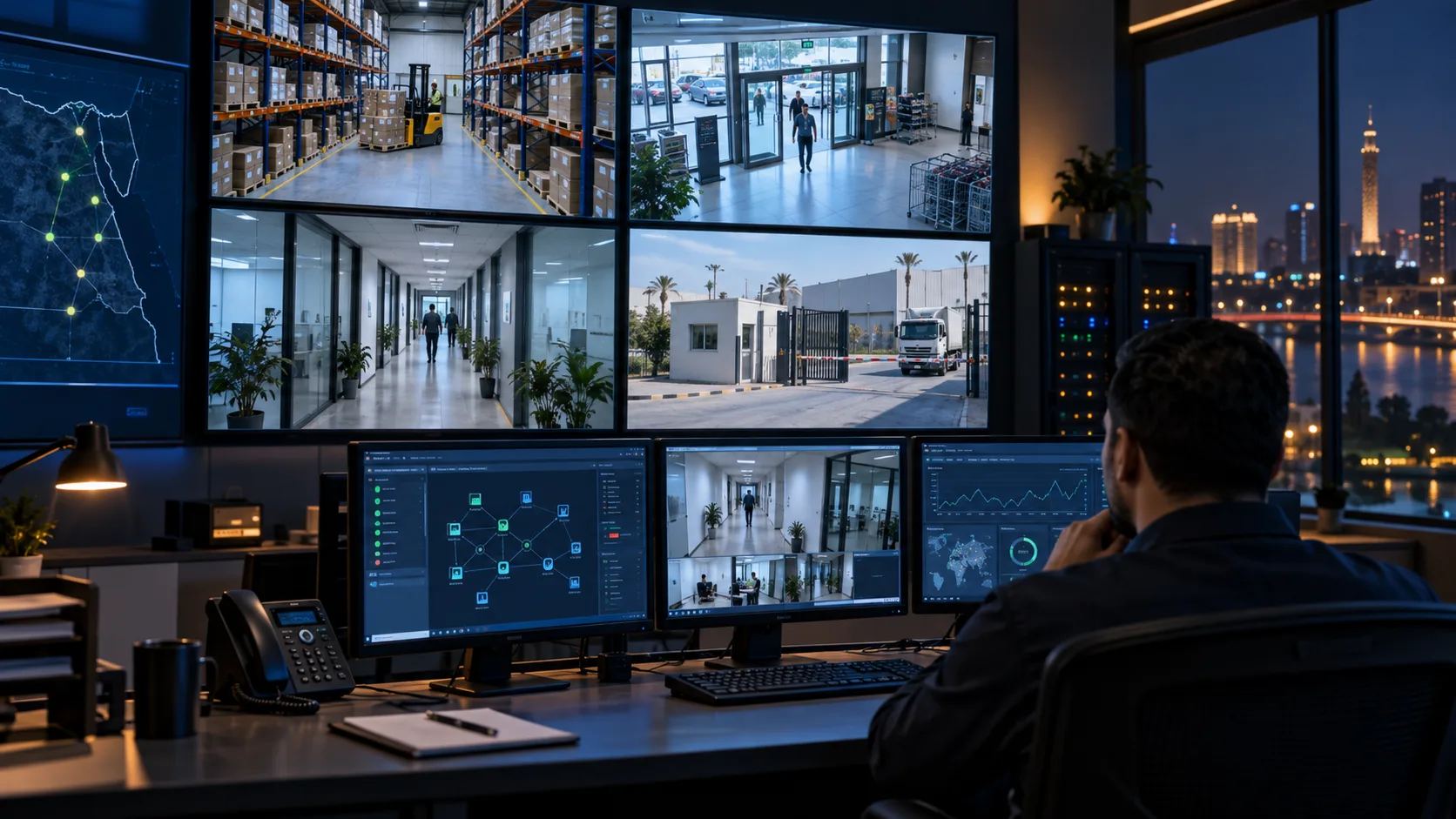
A central room is more than a wall of screens. It depends on how many operators you have, how branches are divided between them, what is shown in normal operation and what happens when an alert arrives. One operator cannot watch dozens of cameras with full attention for a whole shift, so show only the most important cameras permanently and rely on alerts to draw attention to events elsewhere.
- Screen layout: one screen per group of branches, plus a dedicated screen for the camera behind the latest alert.
- Operator shifts: a clear rota covering branch hours, and nights if overnight monitoring is required.
- Working conditions: suitable lighting, comfortable seating and correct viewing distance to reduce fatigue.
- Branch contact: a direct number or channel for each branch for immediate contact during an event.
Response Procedures for Events
An alert without a procedure has little value. For each event type, write down who is notified, within how many minutes, when it escalates to management or the authorities, and how the event is documented and the clip preserved. Typical events that need a written procedure include a camera or whole branch going offline, a full recording disk, movement in a closed area after hours, and a safe or store opened outside working times. Review these procedures with branch managers and rehearse them with a short exercise so the team acts without hesitation.
Standards Across Branches
When every branch uses different devices and settings, central management and maintenance become harder. Standardize camera and recorder models, camera naming, time settings and retention periods across sites. Consistent naming such as branch, area and camera number makes footage faster to find and avoids confusion during an investigation. Our guide to CCTV coverage, storage and maintenance explains how to set retention and storage for each site.
Remote Health Monitoring and Maintenance
Central connection also shows the health of every branch in one place. Use it daily to track offline cameras and disks that are filling up or failing, and schedule preventive visits for each branch instead of waiting for faults.
Network Readiness at Each Branch
Central monitoring is only as reliable as the weakest branch connection. Before linking a site, measure its real upload speed at busy times, check that cameras sit on a separate network from staff and guest devices, and confirm the router and switches can handle the extra traffic. Where a branch link is weak, improve the network first through our network infrastructure service, or limit that branch to alerts and on-demand viewing so the connection does not fail daily. Also agree with each branch manager who is responsible locally when the centre reports a fault, so problems are fixed rather than just reported.
Handover checklist
- Test day and night images against each camera’s purpose.
- Check recording and playback for the required period.
- Test permissions for each role.
- Simulate a branch connection outage and verify local recording.
- Test alerts and escalation, and document device and network plans, warranty and maintenance.
Explore the Global Speciality Chemicals CCTV project, learn about our surveillance systems service, or contact us to discuss your sites.
Frequently asked questions
Should recording happen in the central room or at each branch?
Usually the main recording stays at each branch on a local NVR, while the central room receives live streams and alerts. Recording then continues even if the internet link between the branch and the centre fails.
How much internet bandwidth does each branch need?
It depends on how many cameras are viewed at once and at what quality. Low-resolution streams for multi-camera views, switching to full quality for investigations, reduce usage a lot. Measure the real upload speed at each branch.
How do we prevent unauthorized access to branch cameras?
Never expose recorders directly to the internet. Use a secure connection such as a VPN, named accounts with defined permissions, changed default passwords, updated firmware and regular review of access logs.
How many branches can one monitoring room handle?
There is no fixed number; it depends on cameras, operators and the monitoring policy. Screens and alerts should match what the team can actually watch and act on.